
Adding a new user to the program.
To add a user to the program, go to Settings – Directories – Users – Users:
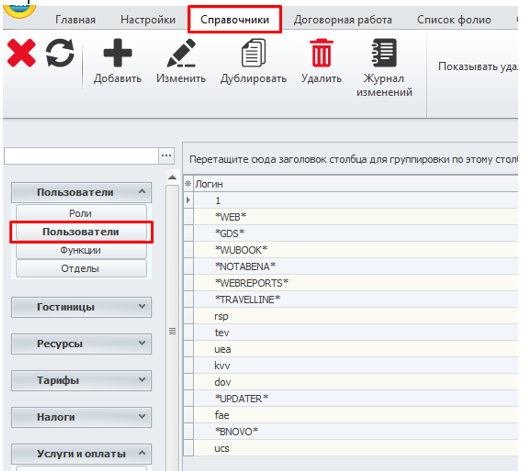
On the top panel, click on the "Add" button.
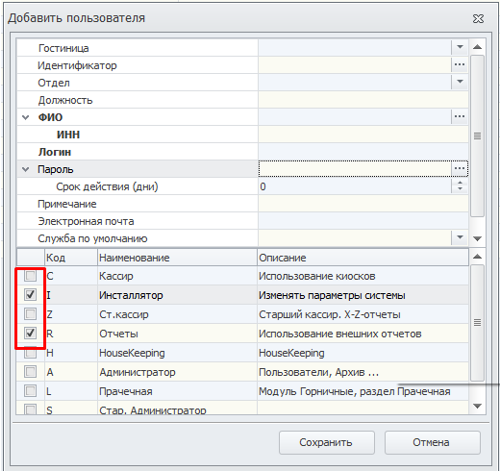
In the window that opens, you must fill in the required fields :
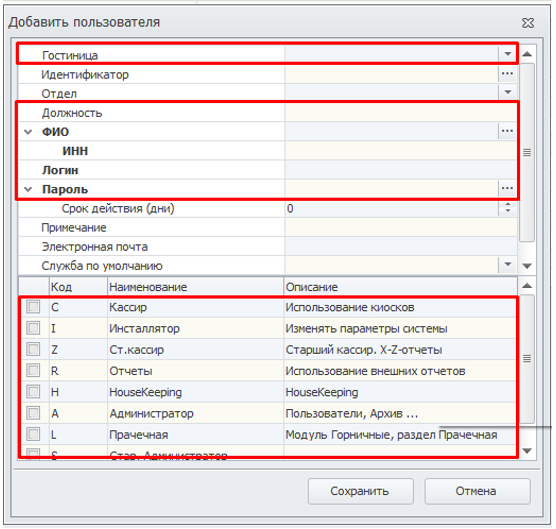
Be sure to choose a hotel.
Register a position.
User's full NAME – you need to click on the button with three dots and select an existing user or create a new one in the window that opens.:
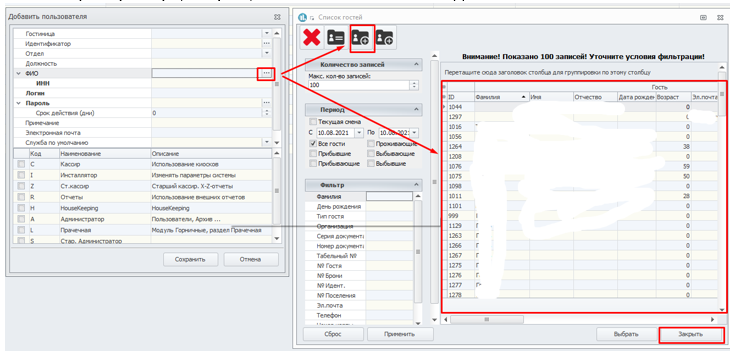
The INN field must be filled in – you can simply put 1 there (this field is relevant for the legislation of the Russian Federation).
It is necessary to register the user's username.
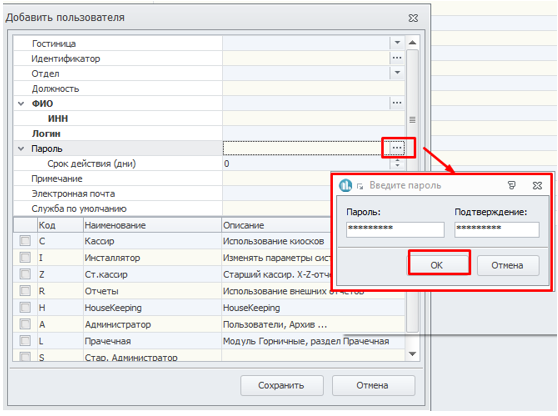
The user's password is added in the same way through the three-dot button.:
Next, you need to tick the user's role – these are his rights to work in the program.:
Next, click the "Save" button.