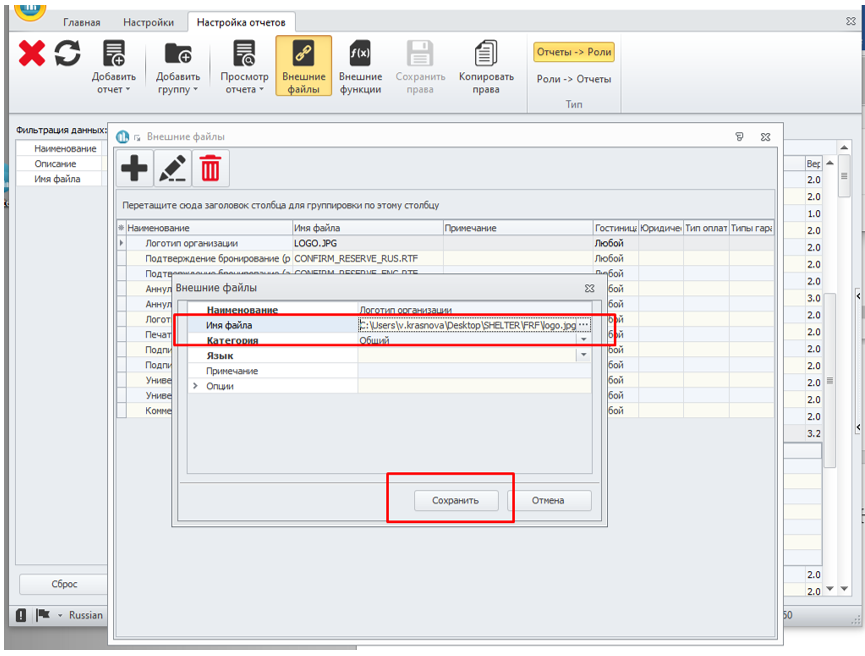
How to upload a logo to Shelter.
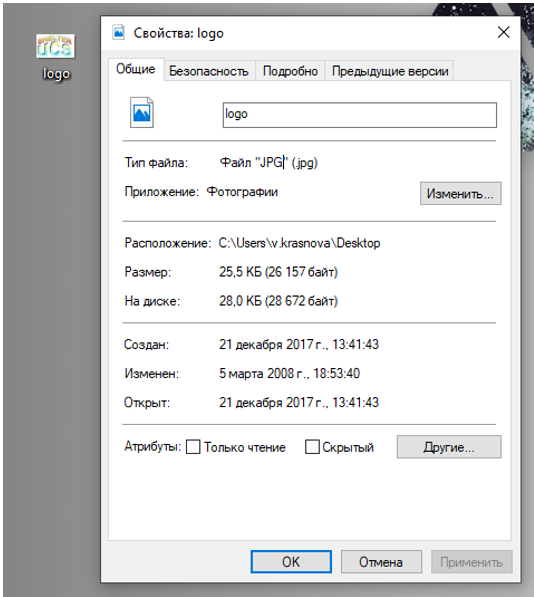
Create a logo in JPG format with the name "logo":
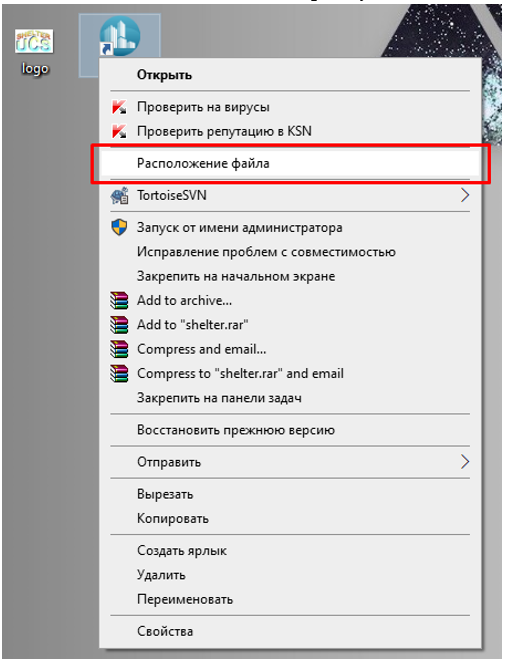
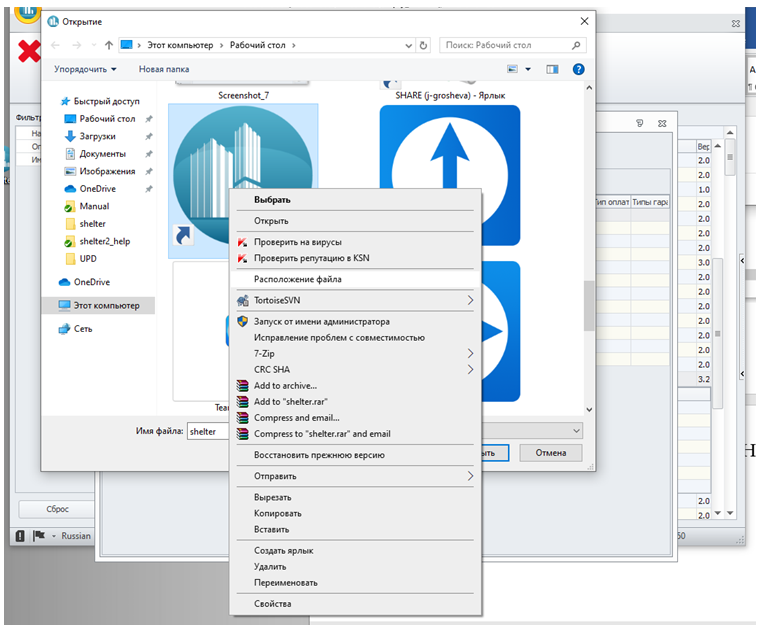
Find the location of Shelter – PCM by shortcut – File Location:
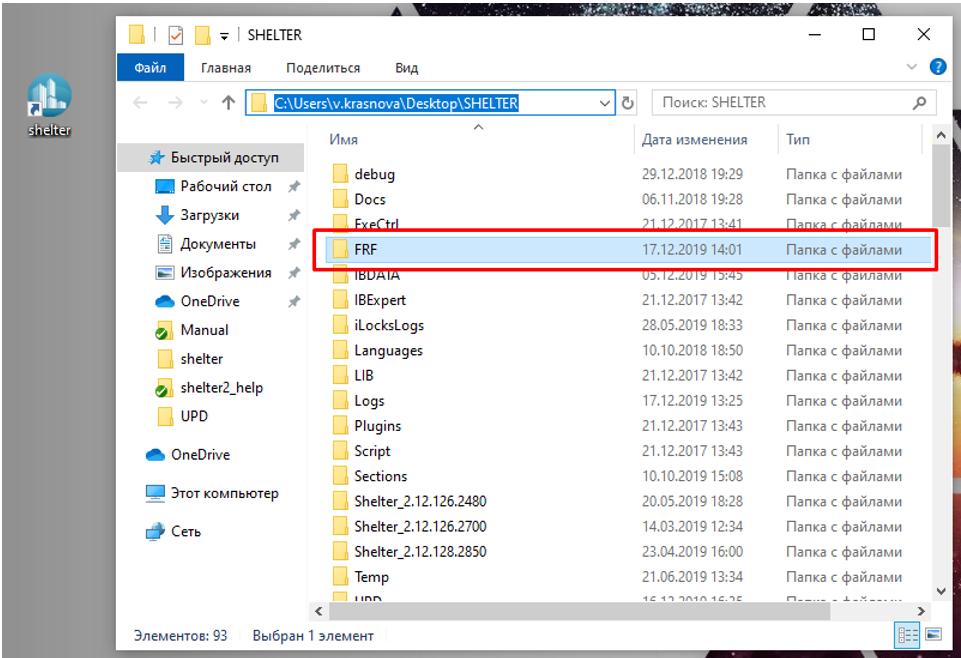
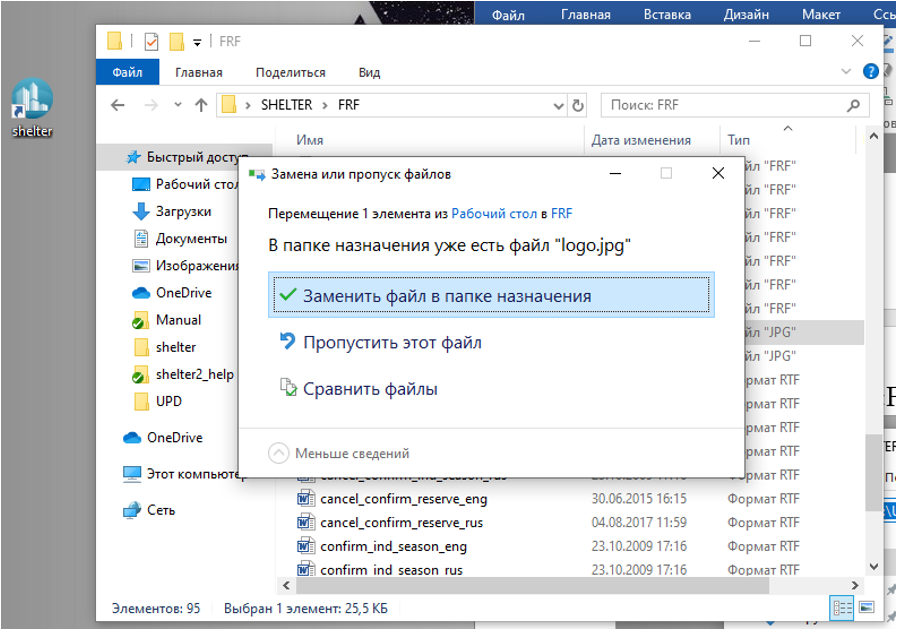
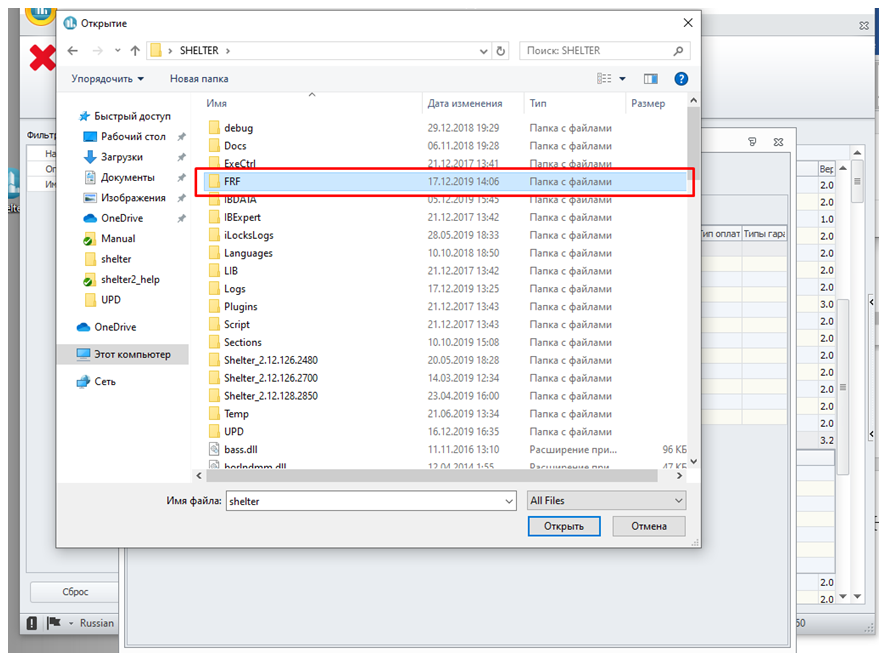
Find the "FRF" folder in the Shelter folder, open it and drop the logo there:
When you transfer the logo, you should see a message that the folder already has a logo. Replace the standard Shelter logo with your own:
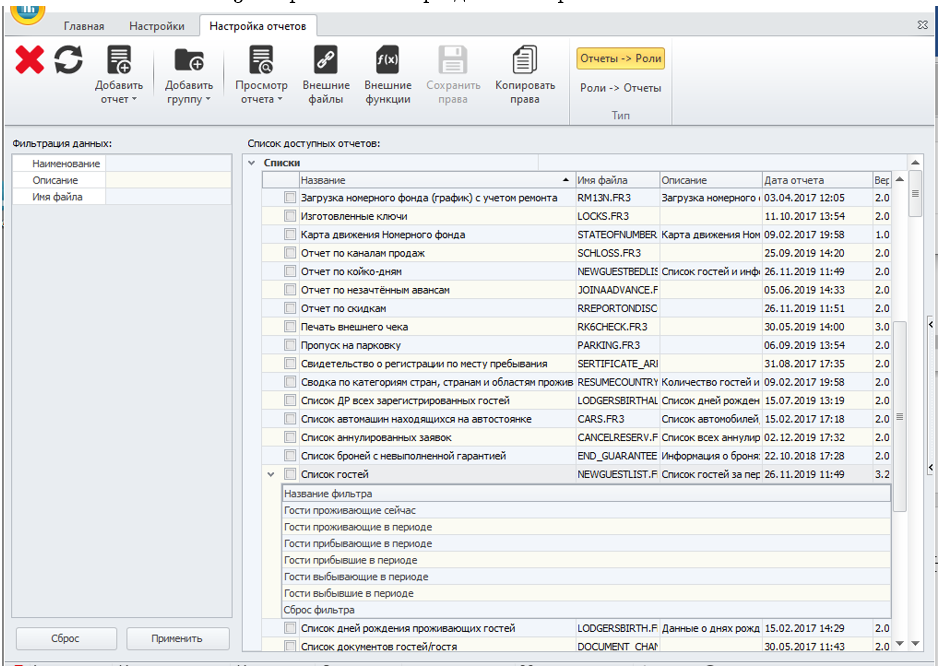
Open Shelter in the section "Configuring reports":
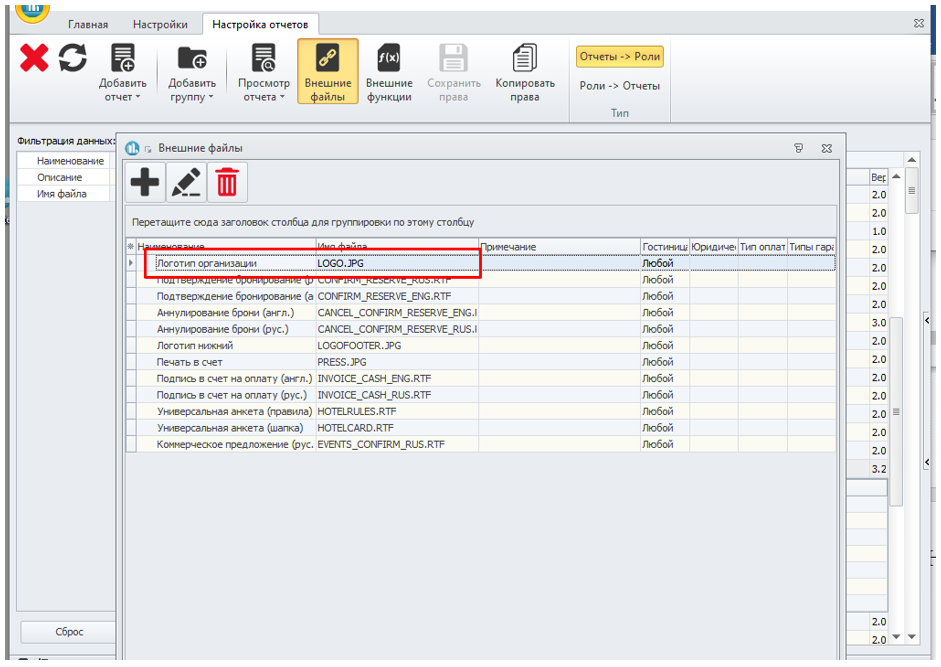
Click on the "External files" button, find the line "Organization logo":
To open an external file, use the button in the "File name" field:
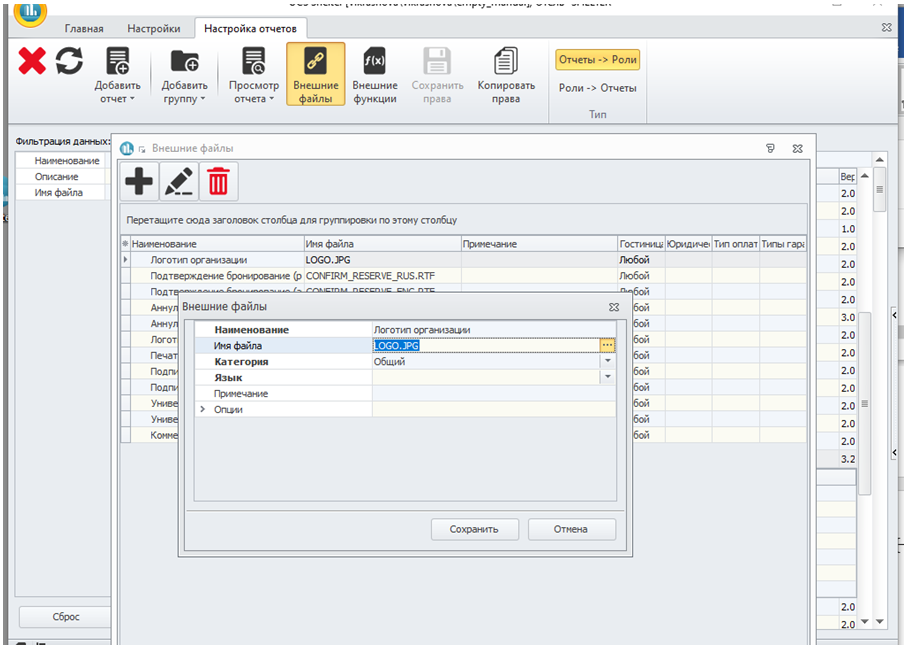
In the "File Name" line, select "All Files" and find the Shelter shortcut.:
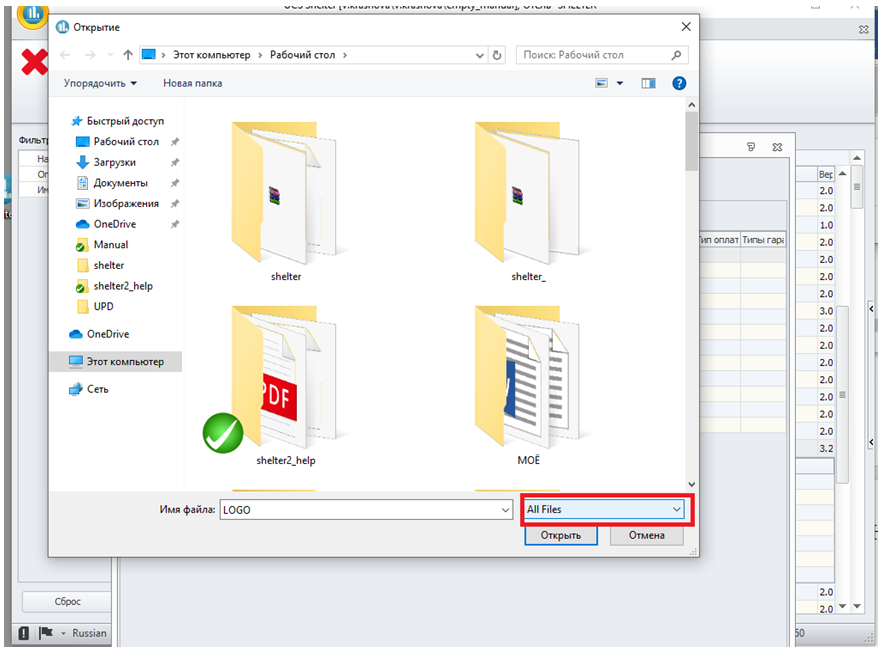
Find the location of Shelter – PCM by shortcut – File Location:
Find the "FRF" folder, open it:
Find the logo and upload it to the Shelter:
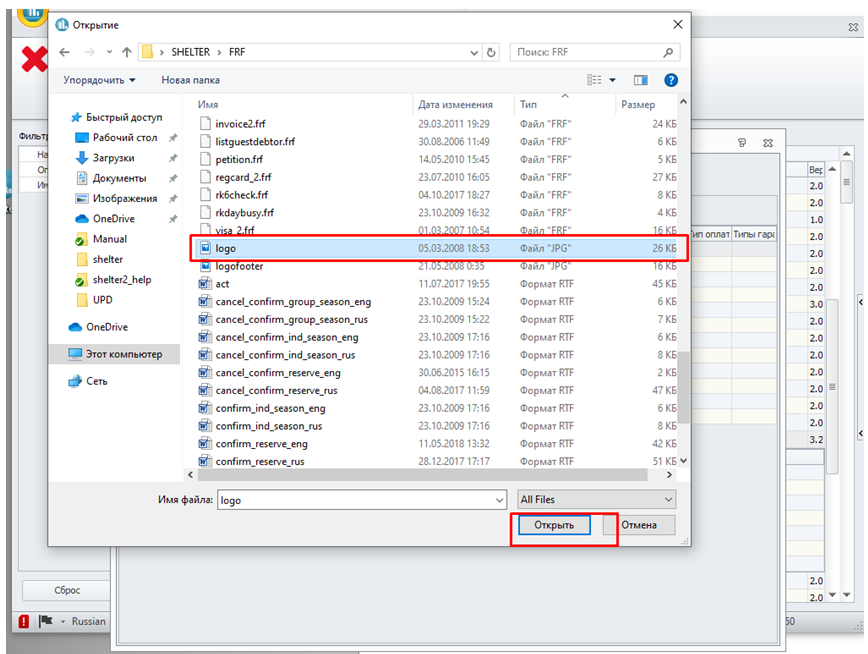
Save an external file to Shelter: